Everything your plan needs
From an empty stage to a console ready to work. Every feature on this page exists and works in the app today.
Wall and stage
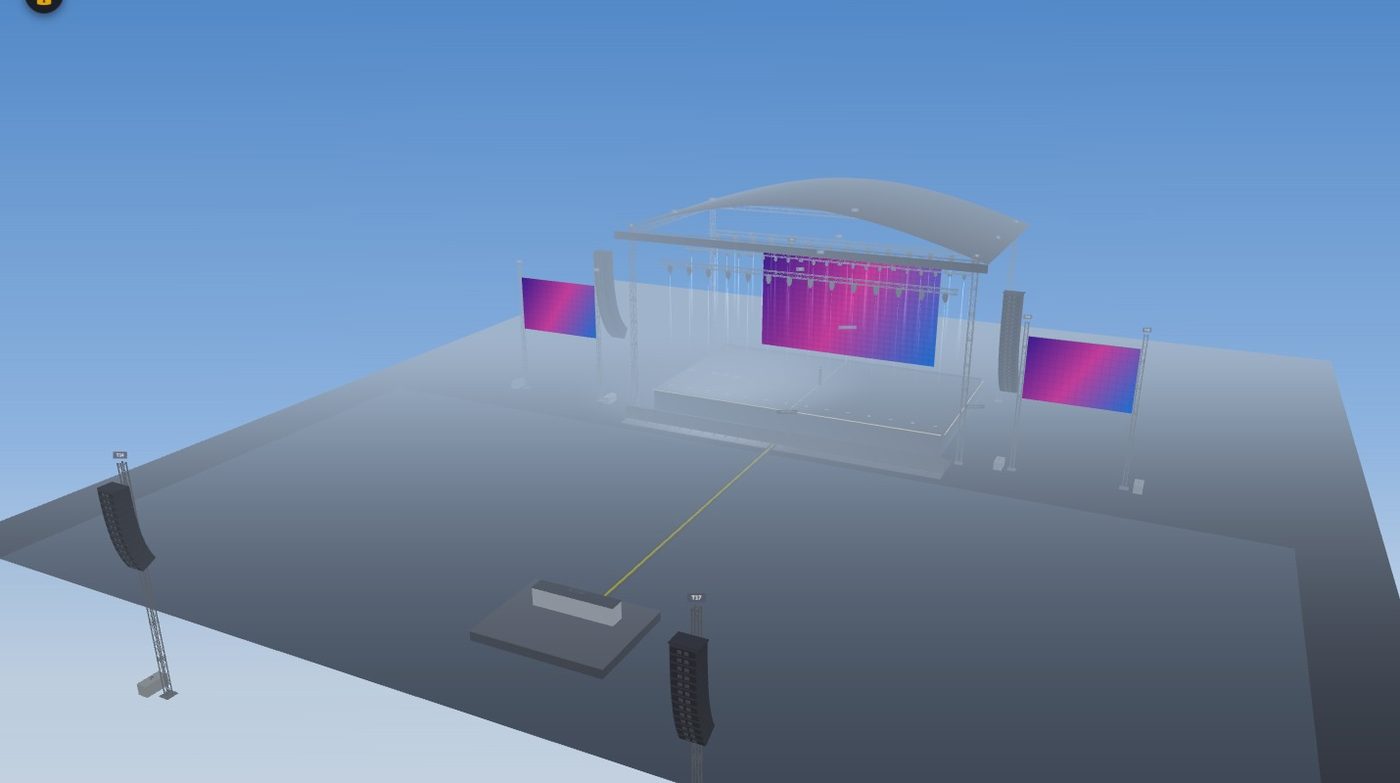
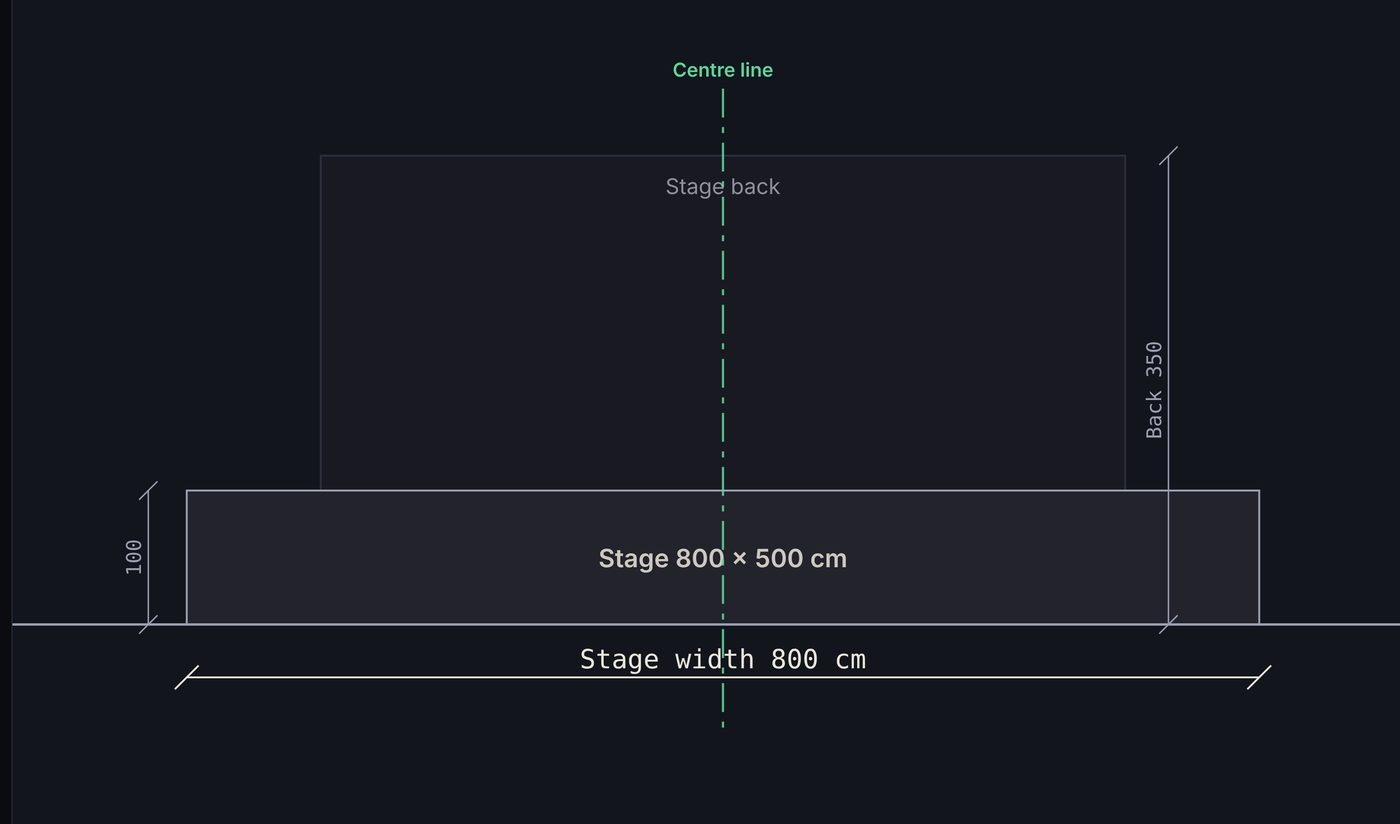
Start with what you get on site: a stage wall or a full closed hall, and the stage size.
- Width, depth and height in metres – rectangular or round stage
- From 60 cm up, Prerig asks which side the stairs go
- Load the venue's DXF and plan right on top of it
Trusses and rigging
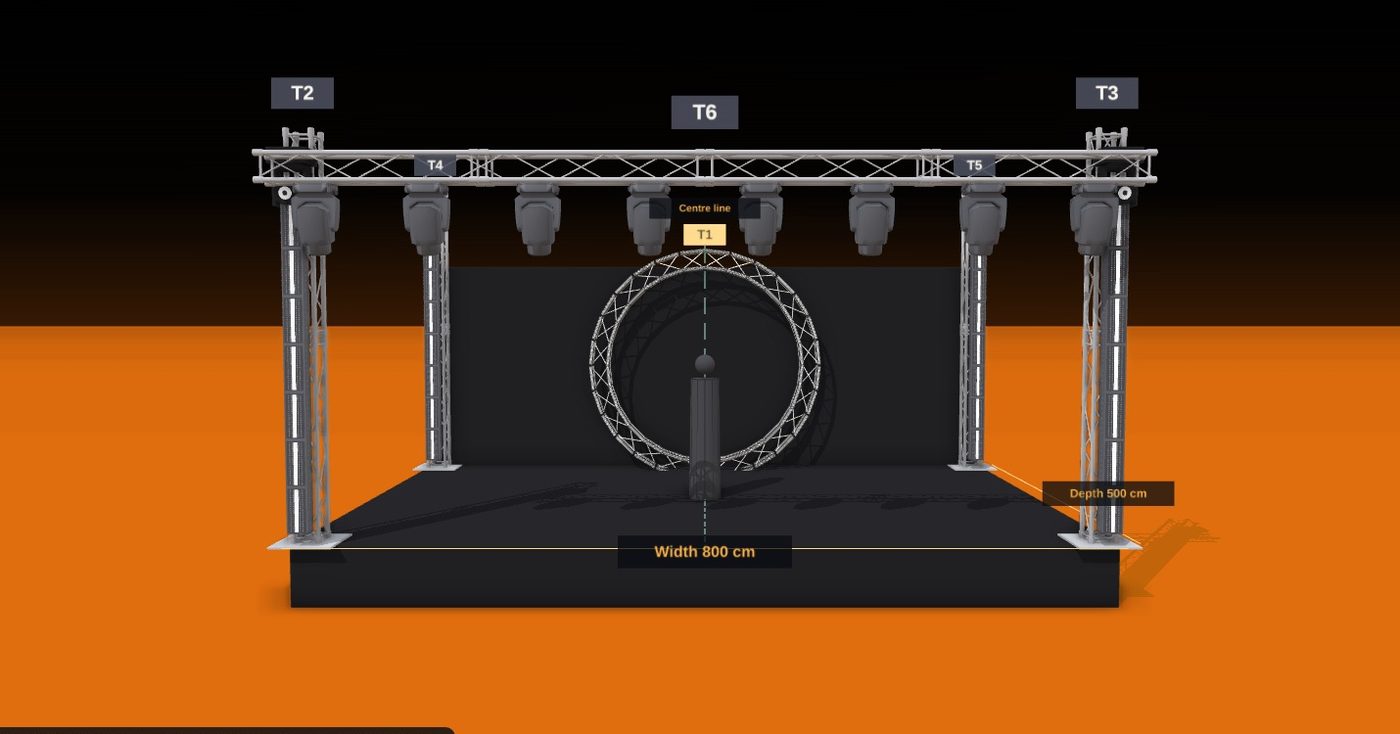
Build the structure the way you rig it – standing, angled or hung.
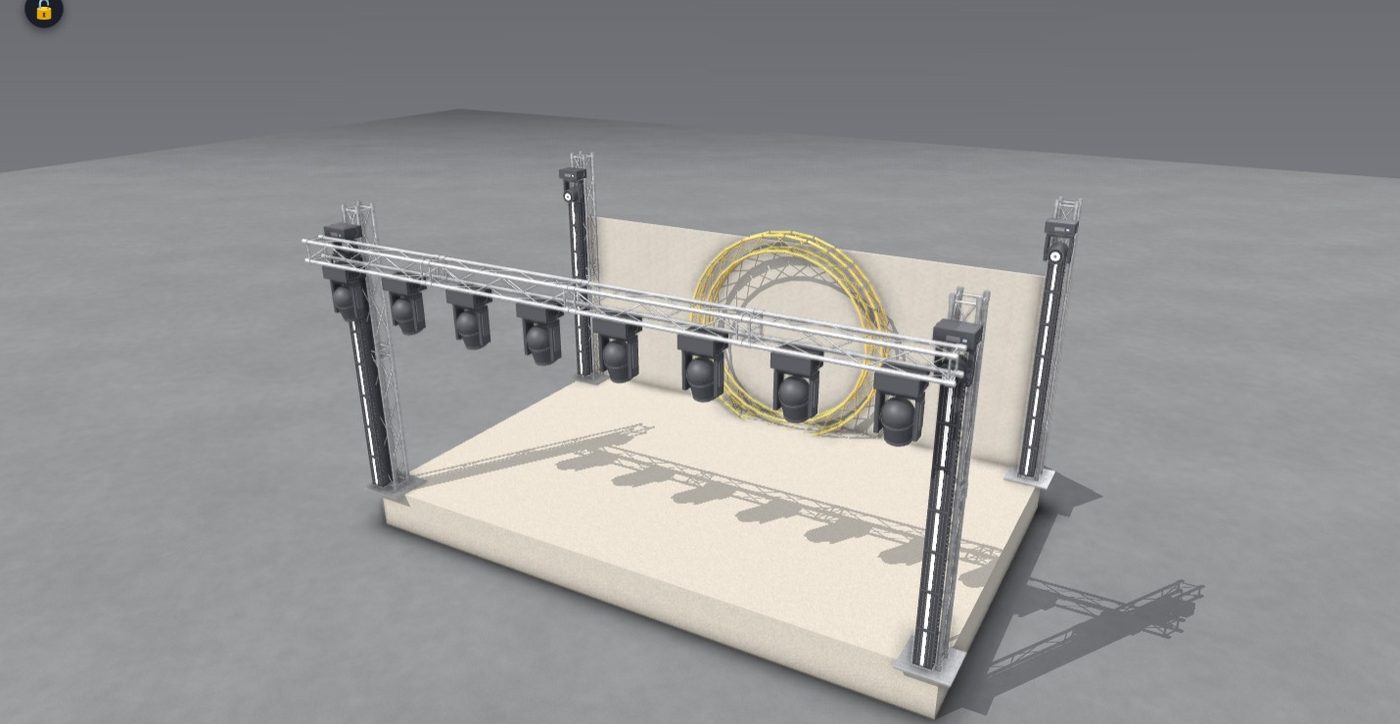
- Corner towers, rings of 3 and 5 m, triangles, A-frames and straight trusses
- Any length and any angle; every truss is numbered T1, T2…
- Hanging points and hoists, with the load on each point
Real fixtures
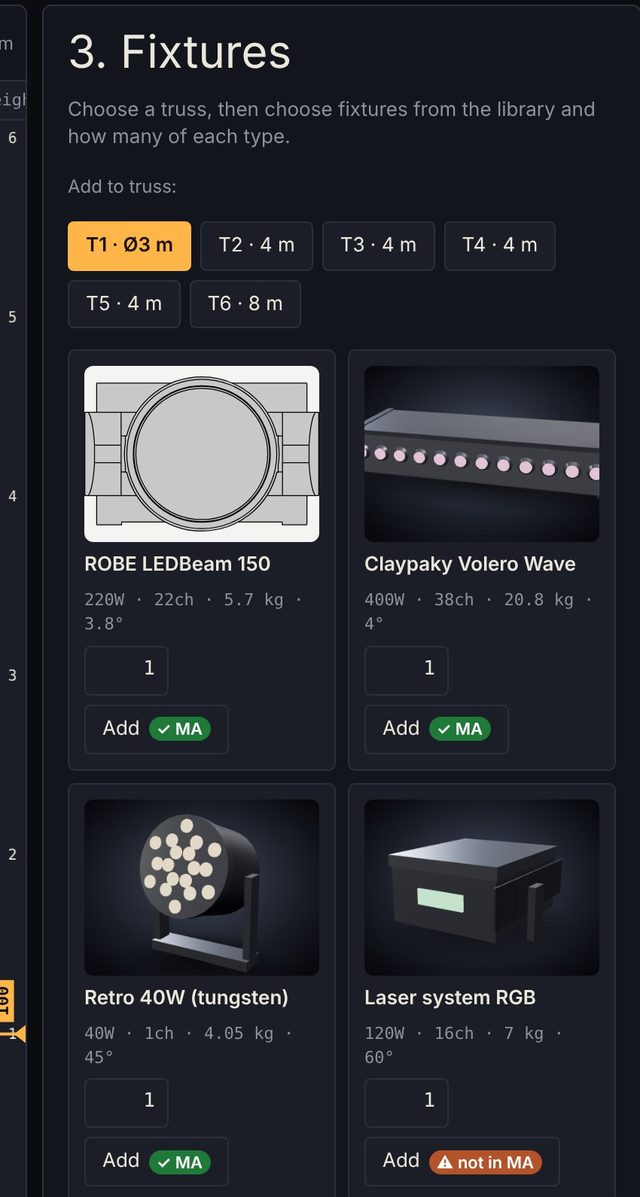
Choose from a library of real models, or load the official GDTF file and see the fixture as it really looks.
- ROBE, Claypaky, Martin, Ayrton, GLP, Chauvet, Elation, ETC and more
- Each fixture with its power, weight and channel count
- Spread evenly along a truss, or place each one by hand
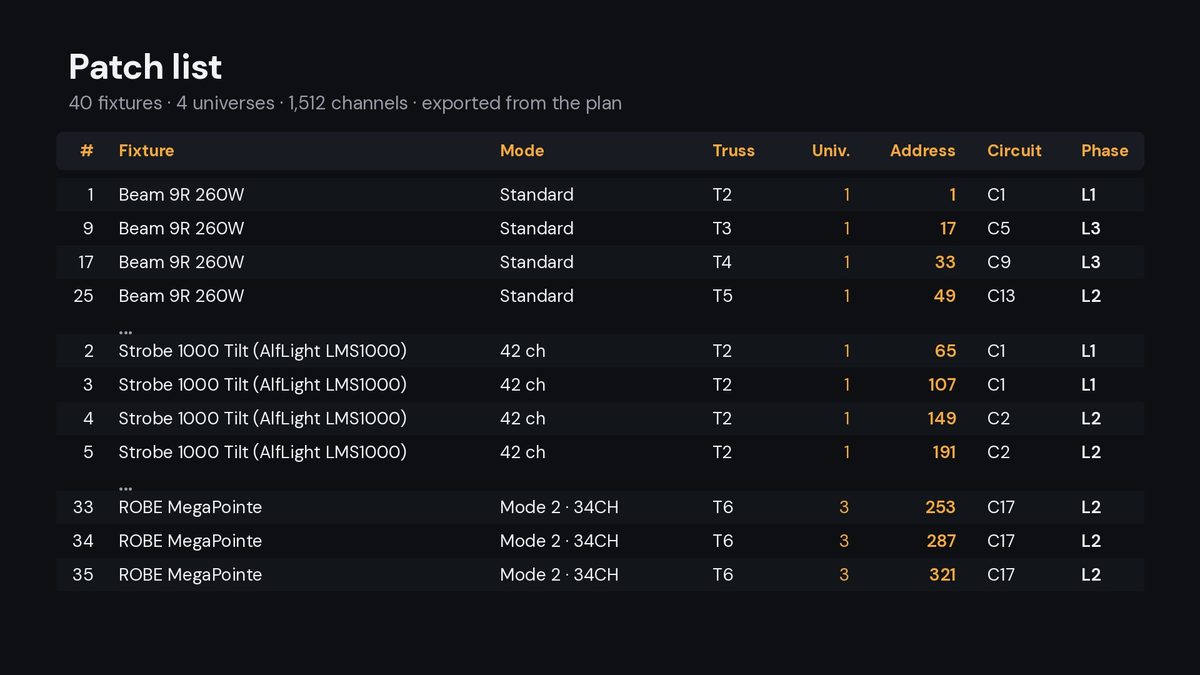
The DMX patch
Every fixture gets a universe and a DMX address automatically. You never type an address.
- Universes checked against 512 channels, overlaps flagged
- Automatic redistribution when you change the rig
- Patch list as CSV and a PDF fixture spec by address
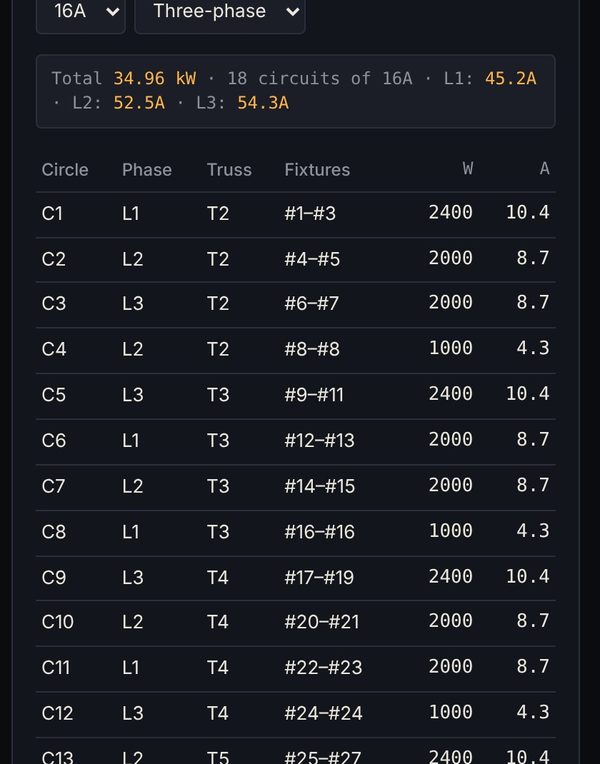
Power by phase
Prerig splits the fixtures into circuits by amps and balances them across the three phases.
- Phase L1, L2 or L3 for every circuit, with the current on each phase
- Distros from 16 A to 125 A and the cables between them
- Total power and the generator size you need
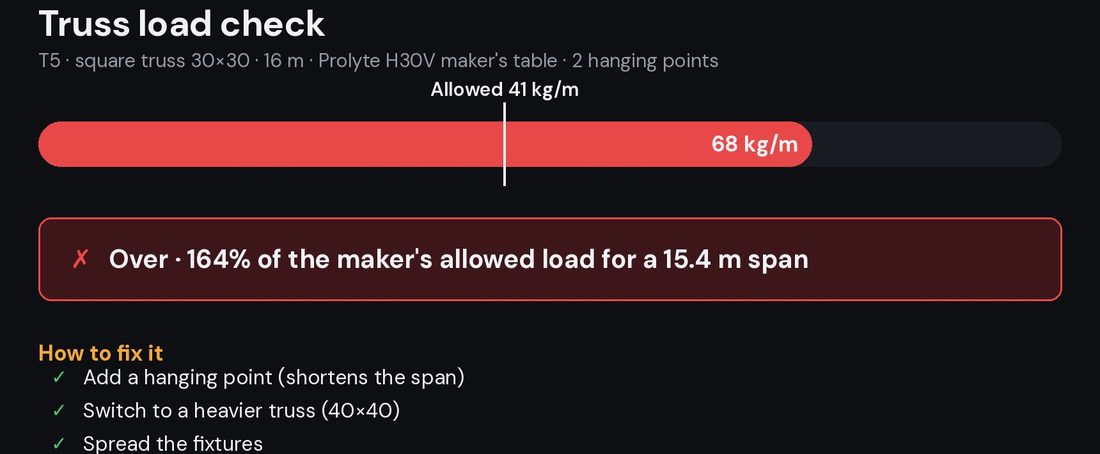
Truss load check
Weight is checked the way the maker rates it – kilos per metre, for the real span between hanging points.
- An alert when a truss is over the maker's table
- Clear ways to fix it: another hanging point, a heavier truss, spreading the load
- Hanging loads per point for the rigger
The load check is a static-load estimate against the maker's table. A qualified rigger or engineer still approves the rig.
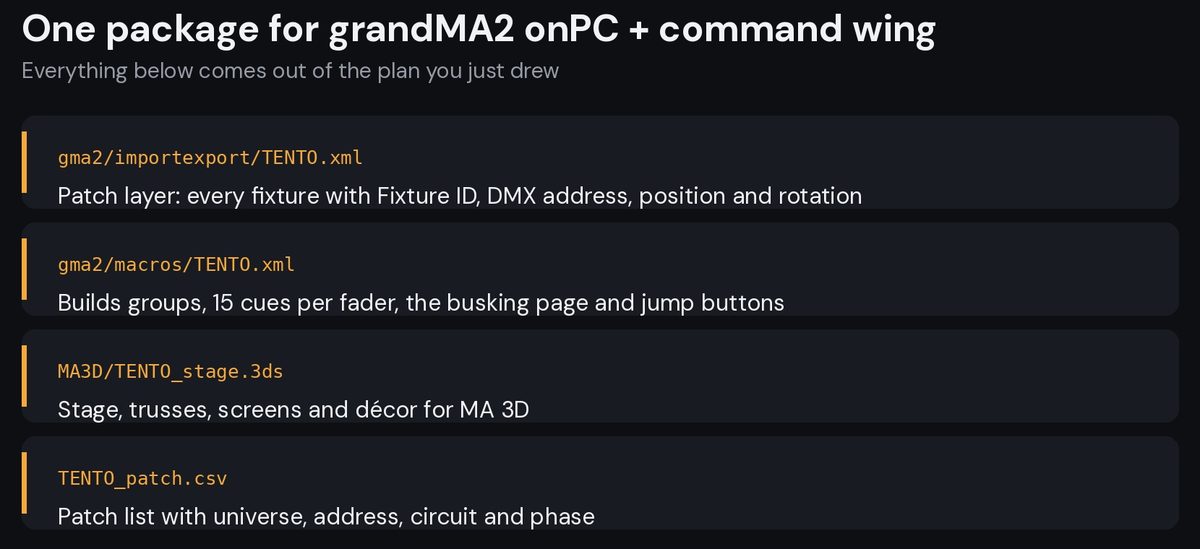
Ready for grandMA2
One package your console opens: you sit down at the desk and start working.
- Patch layer with every Fixture ID, address, position and rotation
- Groups, cues per fader, a busking page and jump buttons
- A stage model for MA 3D; MVR and CSV for other consoles and visualizers
Drawings and documents
The paperwork comes out of the same plan.
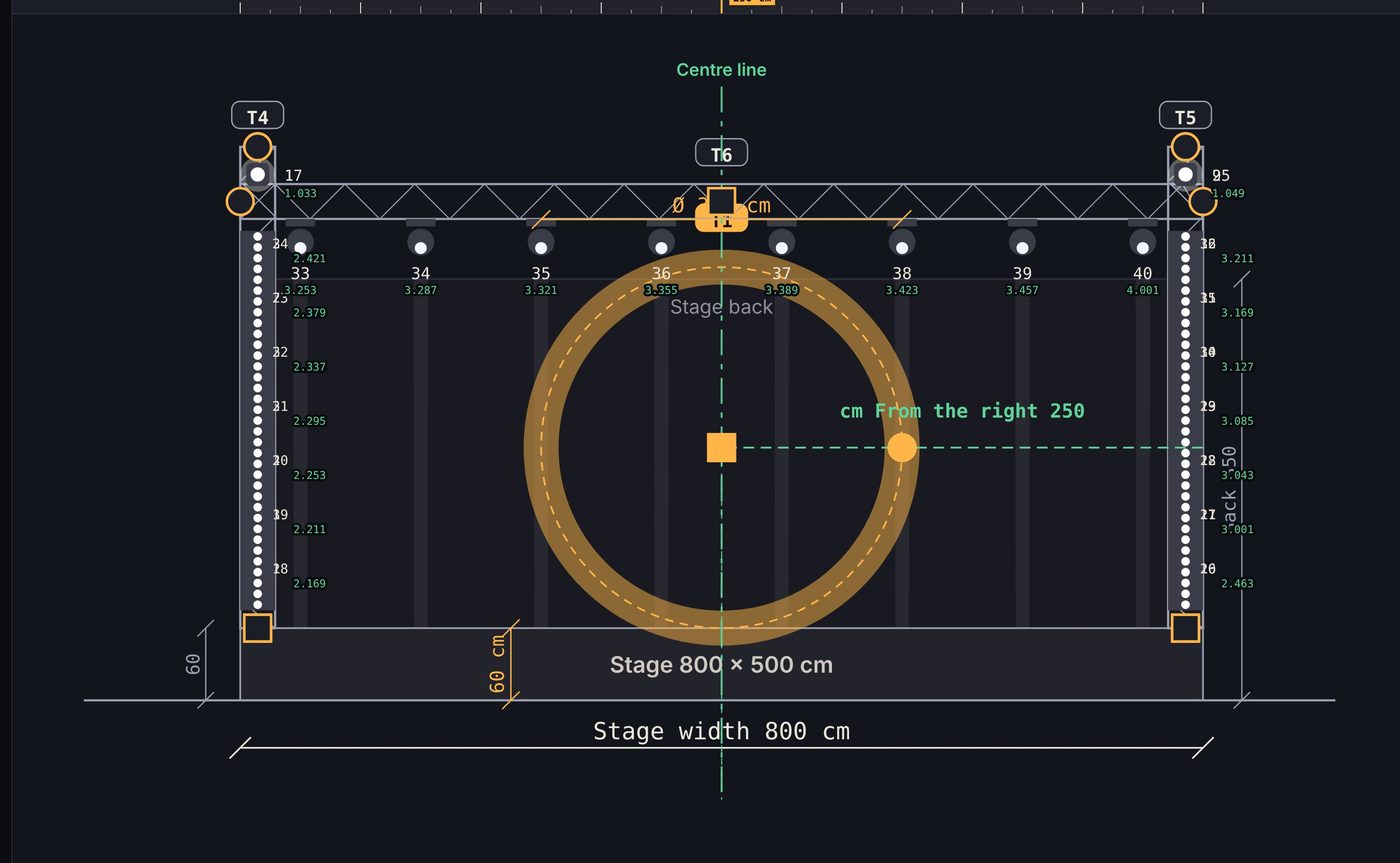
- Front, top and side views to scale, with dimensions
- DXF for AutoCAD, with layers
- A3 plot, load-out list and a PDF spec booklet for the producer
A view for the client
Show the client the same plan, in a look made for presenting.
- Technical look, client look and a clean line drawing
- A link the client opens on the phone, turns around and comments on
- A short client video of the stage
From a wedding stage to a stadium
Small events and big ones use the same tool.
- A full stadium stage – roof, PA, screens, delays and barricades – in one tap
- Every part stays editable
- Runs in the browser on iPad, Mac and Windows, and works offline on iPad