Prerig. It's simple.
From an empty stage to a show-ready grandMA2 file.
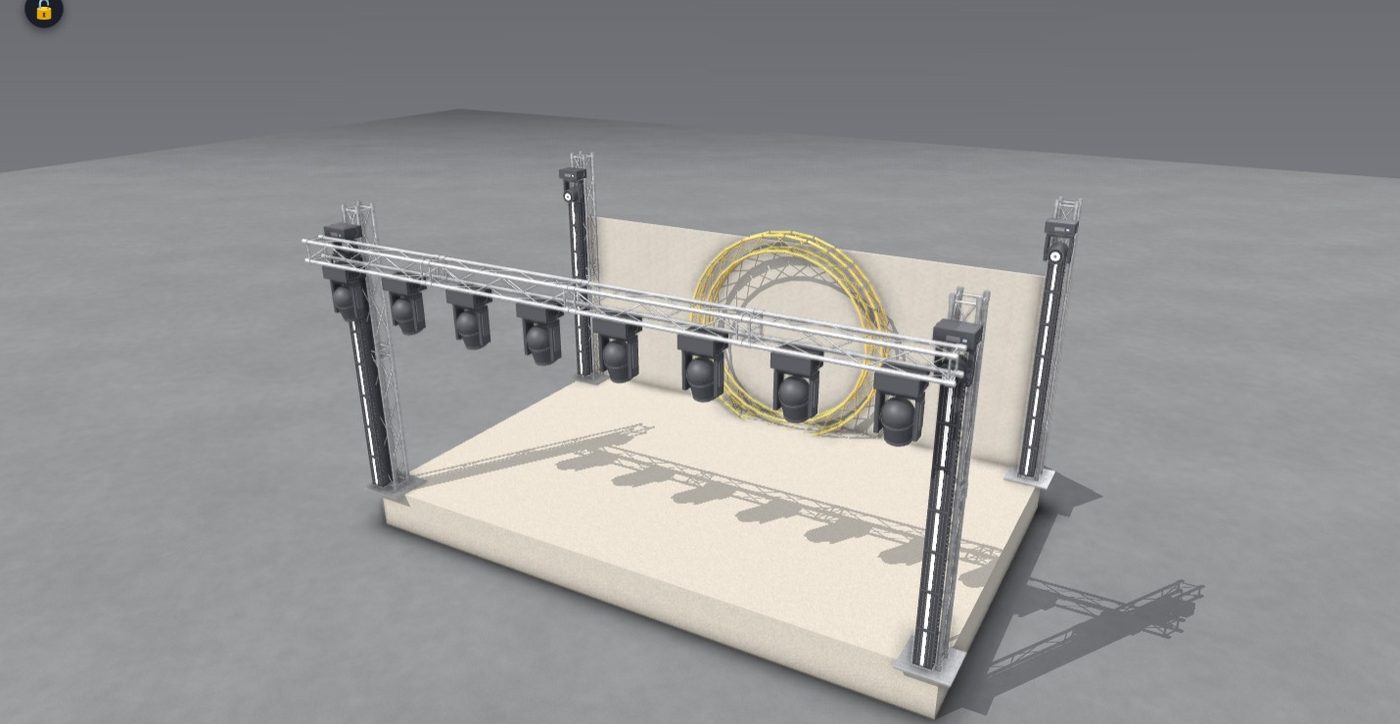
Build the stage, trusses and fixtures in 3D – on iPad or computer. Prerig does the rest: the DMX patch, power by phase, the truss load check, drawings to scale and a package your console opens.
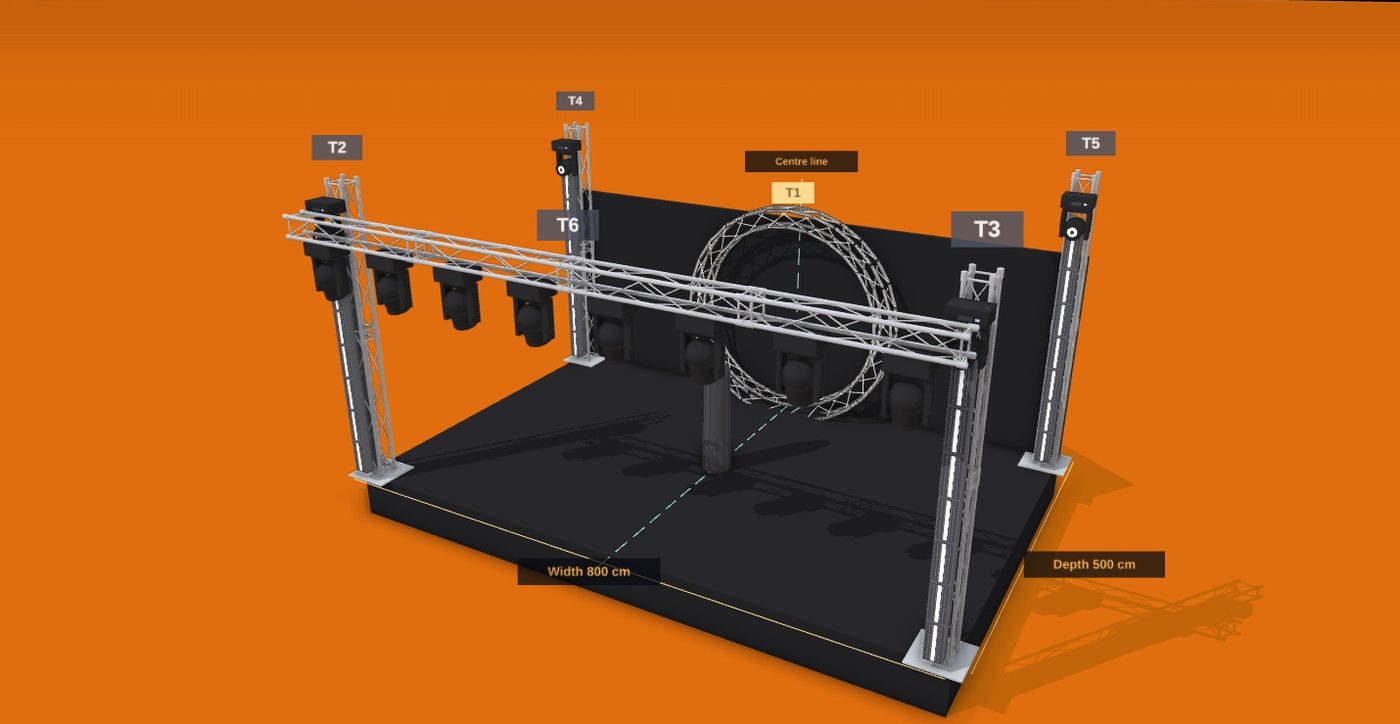
What you walk away with
You design the stage. Everything the crew and the console need comes out of the same plan – no copying between programs.
The patch, done
Every fixture with its name, mode, DMX address and universe. Universes are checked against 512 channels, and overlaps are flagged.
Ready for grandMA2
One package: the patch layer with positions and groups, plus a stage model for MA 3D. Other consoles and visualizers get MVR and CSV.
Power by phase
Circuits per fixture group with the phase for each – L1, L2, L3 – distros from 16 A to 125 A, cables, and the generator size.
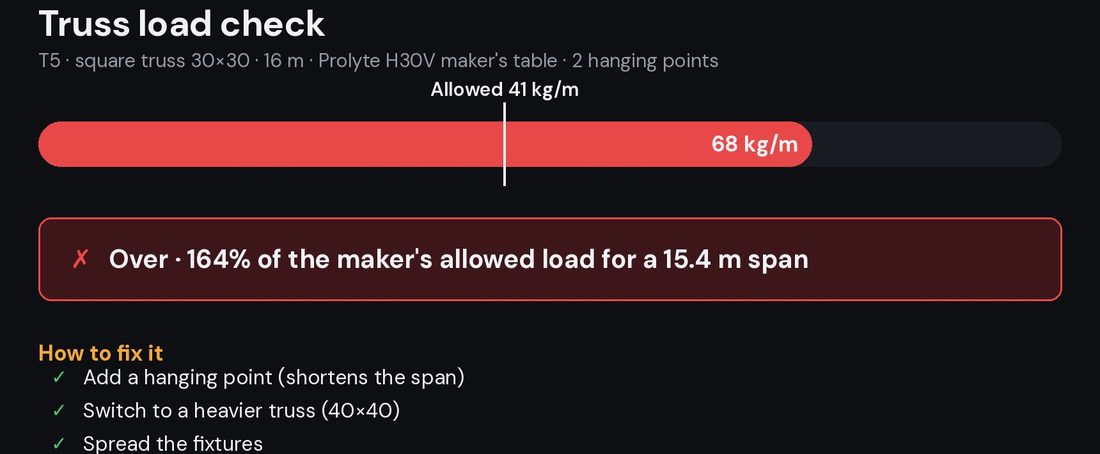
Truss load check
Load per metre against the maker's table, with an alert when a truss is over – and how to fix it. An estimate for the rigger, not a replacement for one.
Drawings and documents
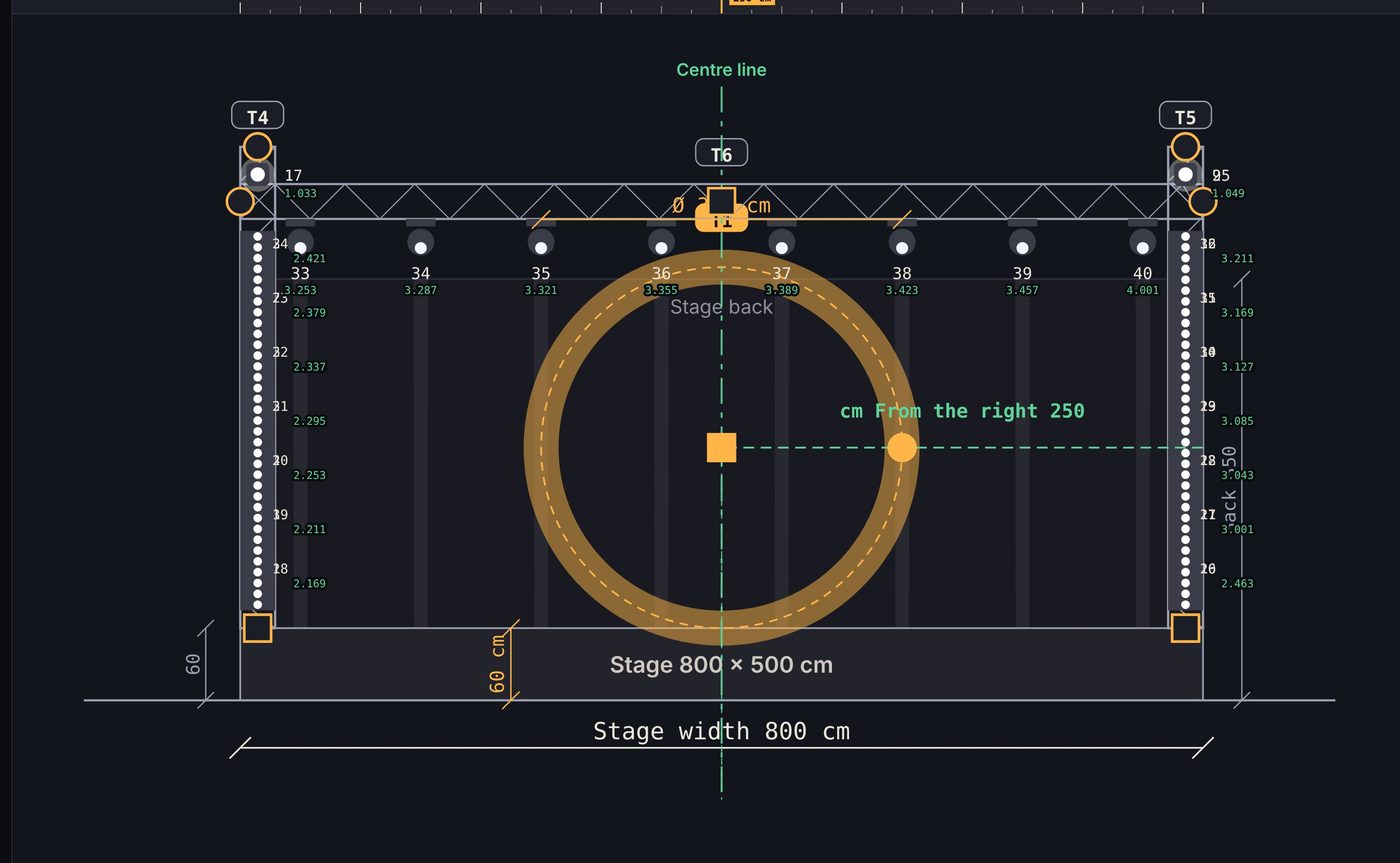
Front, top and side views to scale, a DXF for AutoCAD, an A3 plot and a PDF spec booklet for the producer.
A view for the client
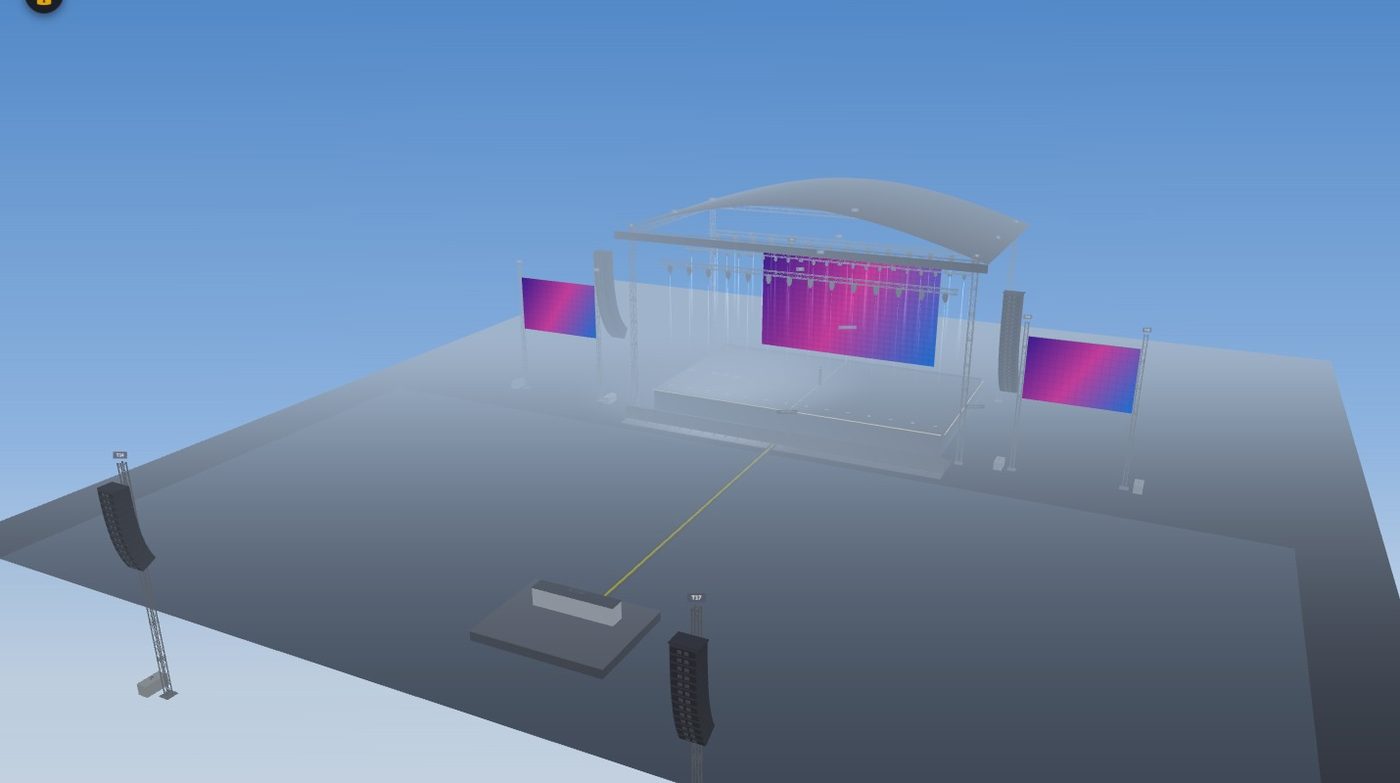
A realistic 3D look, and a link your client opens on the phone, turns around and comments on.
Three steps. That's it.
No CAD training and no graphics card. Prerig runs in the browser.
Wall and stage
Enter the sizes – width, depth, height. A closed hall works too.
Trusses and fixtures
Towers, rings, bridges and hoists. Fixtures from a library of real models – ROBE, Claypaky, Martin, Ayrton, GLP, Chauvet, Elation, ETC.
Export
Patch, power, loads, drawings and the console package – from the same plan, in one go.

- iPad, Mac and Windows
- Works offline on iPad
- English and Hebrew today, more languages coming
Get in first
We're opening Prerig to lighting designers and production companies in small groups. People on the waitlist are invited first.
Questions
When does the beta open?
We're bringing in the first users in small groups. Waitlist members get the invitations first, by email.
How much will it cost?
Pricing will be announced before launch. Waitlist members hear first.
Which consoles does it work with?
Direct export to grandMA2 and MA 3D. For other consoles and visualizers, Prerig exports MVR and CSV.
Do I need a strong computer?
No. Prerig runs in the browser on iPad, Mac or Windows, and works offline on iPad.
Does the truss check replace a rigger?
No. It's a static-load estimate against the maker's table, to catch problems early. A qualified rigger or engineer still approves the rig.